2.6 Leads Enrichment
Enrich and segment your leads like a pro. Use LinkedIn and AI Smart Columns to analyze your leads, apply filters, and build hyper-targeted campaigns.
Written By François Delporte
Last updated Over 1 year ago
Why Use SmartList Tables?
You’re not just collecting LinkedIn URLs—you’re building a lead intelligence system.
SmartList Tables give you the power to:
🔎 Auto-enrich every row with deep LinkedIn and company data
🧠 Add AI-powered columns to detect language or draft DM copy
🎯 Filter, segment, and personalize with precision
📤 Export to CSV or sync directly into ReactIn campaigns
What Kind of Data Can You Work With?
🔹 Basic Lead Info (manually or via CSV/API)
First Name
Last Name
Email
LinkedIn Profile URL (automatically added if the lead is scraped from LinkedIn—otherwise, toggle “Auto Enrich” to fetch it)
Profile Headline (available for LinkedIn-sourced leads, or via “Auto Enrich” for others)
🔹 LinkedIn-Enriched Data (1 crédit for ALL)
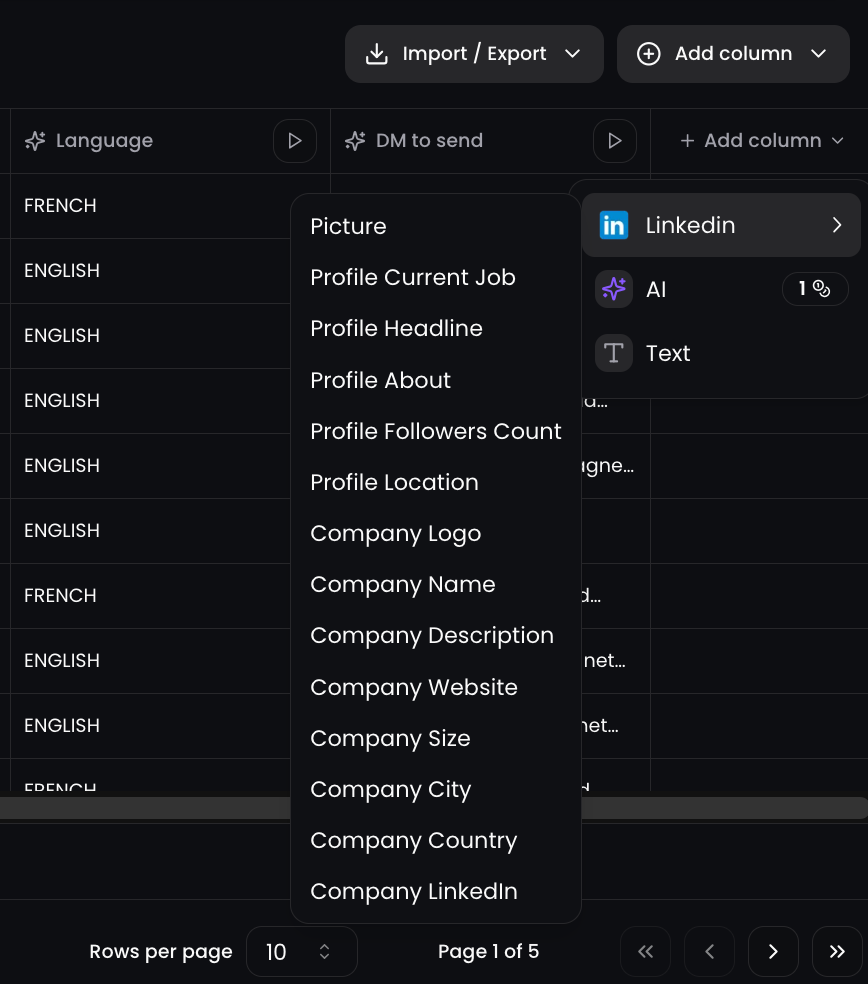
Available under the “LinkedIn” column type:
Profile About
Profile Current Job
Profile Location
Profile Followers Count
Picture
Company Name
Company Logo
Company Description
Company Website
Company LinkedIn
Company City, Country & Size
🎯 You can add these fields per lead in just one click, no other scraping tools needed.
🔹 AI Smart Columns (1 crédit / cell)
AI Smart Columns let you build completely custom outputs using any data from your SmartList.
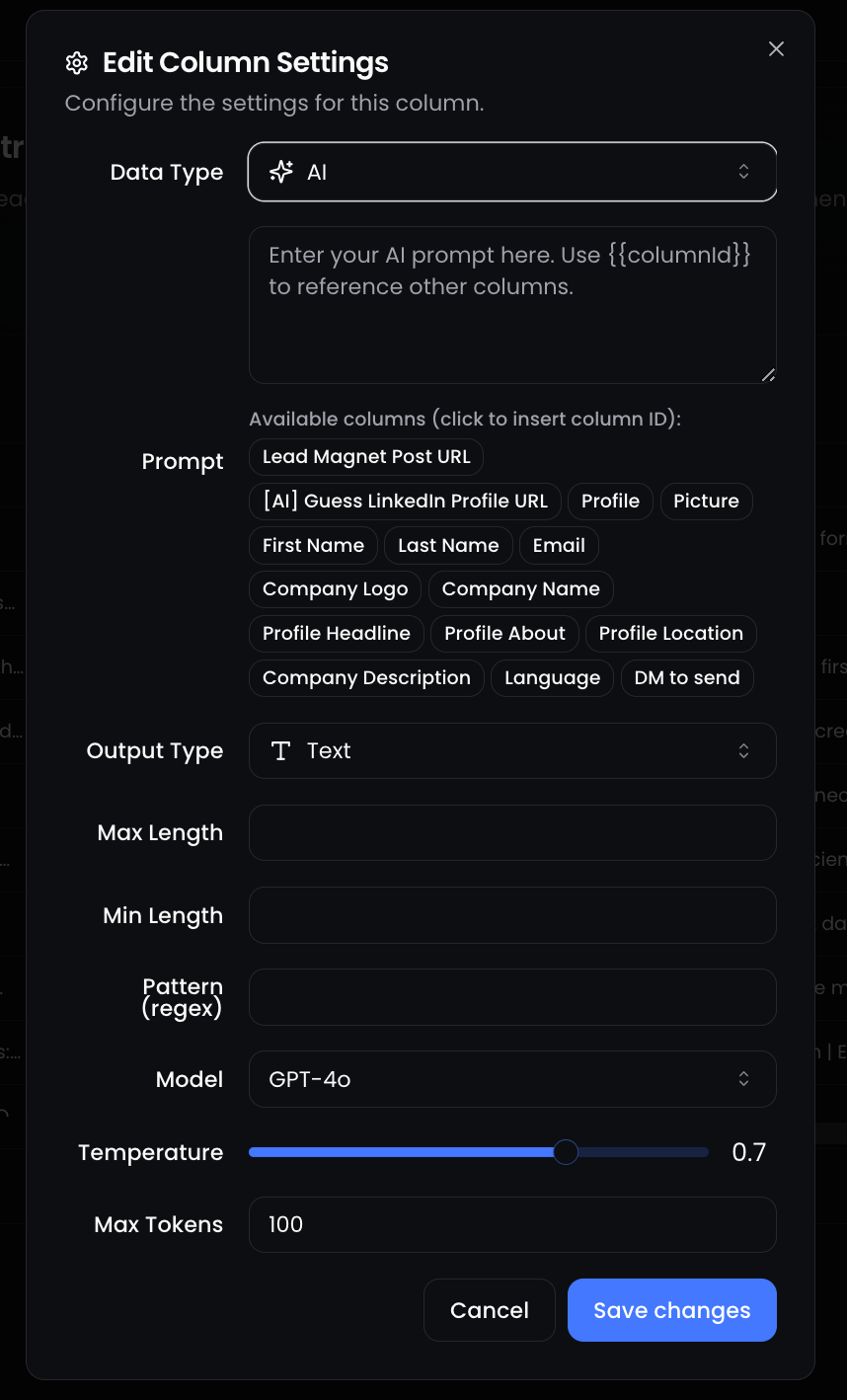
You can generate a personalized hook, guess a language, write a tailored DM, or enrich missing context, based on all the lead’s properties (name, job title, company, etc.).
Use dynamic prompts, just like you'd do in ChatGPT, and reference any column using smart variables.
How it works:
Choose AI as your column type
Write your custom prompt using other column values (e.g.
{{First Name}},{{Company Name}},{{Profile Headline}})Set your desired Output Type, Length, and Temperature
ReactIn uses GPT-4o to generate unique content, row by row
Examples:
🎯 Draft a DM in English or French based on job title and language
🌍 Guess a user's preferred language based on a LinkedIn comment or headline
🚀 Summarize their company mission and match it with your offer
It’s like having a mini-copilot inside your SmartList—at scale.
Real-World Example
Let’s say you just published a high-performing LinkedIn post.
Paste the post URL into a one-shot scraper.
ReactIn scrapes commenters and creates a SmartList.
You enrich the leads with LinkedIn + Company info.
You add an AI column to generate a personalized DM for each profile.
You segment the table (e.g. Job Title contains “Growth”)
You either launch a campaign or export the list.
🎉 All done—without ever touching a spreadsheet.
💡 Pro tip: You can add as many enrichment or AI columns as needed. Use them to personalize at scale or to sort/filter leads based on hidden insights like company size, language, or job relevance.
Ready to move on?
👉 Next: 2.7 SmartList Management →