8.1 LinkedIn Daily Action Limits
To keep your LinkedIn account safe, ReactIn sets default daily limits for each account — but you can customize them if needed.
Written By Theo Remola
Last updated Over 1 year ago
🧾 Default limits (per LinkedIn account)
By default, each LinkedIn account connected to ReactIn is limited to:
These limits are designed to minimize risk for most users.
⚙️ How to update your quotas (if needed)
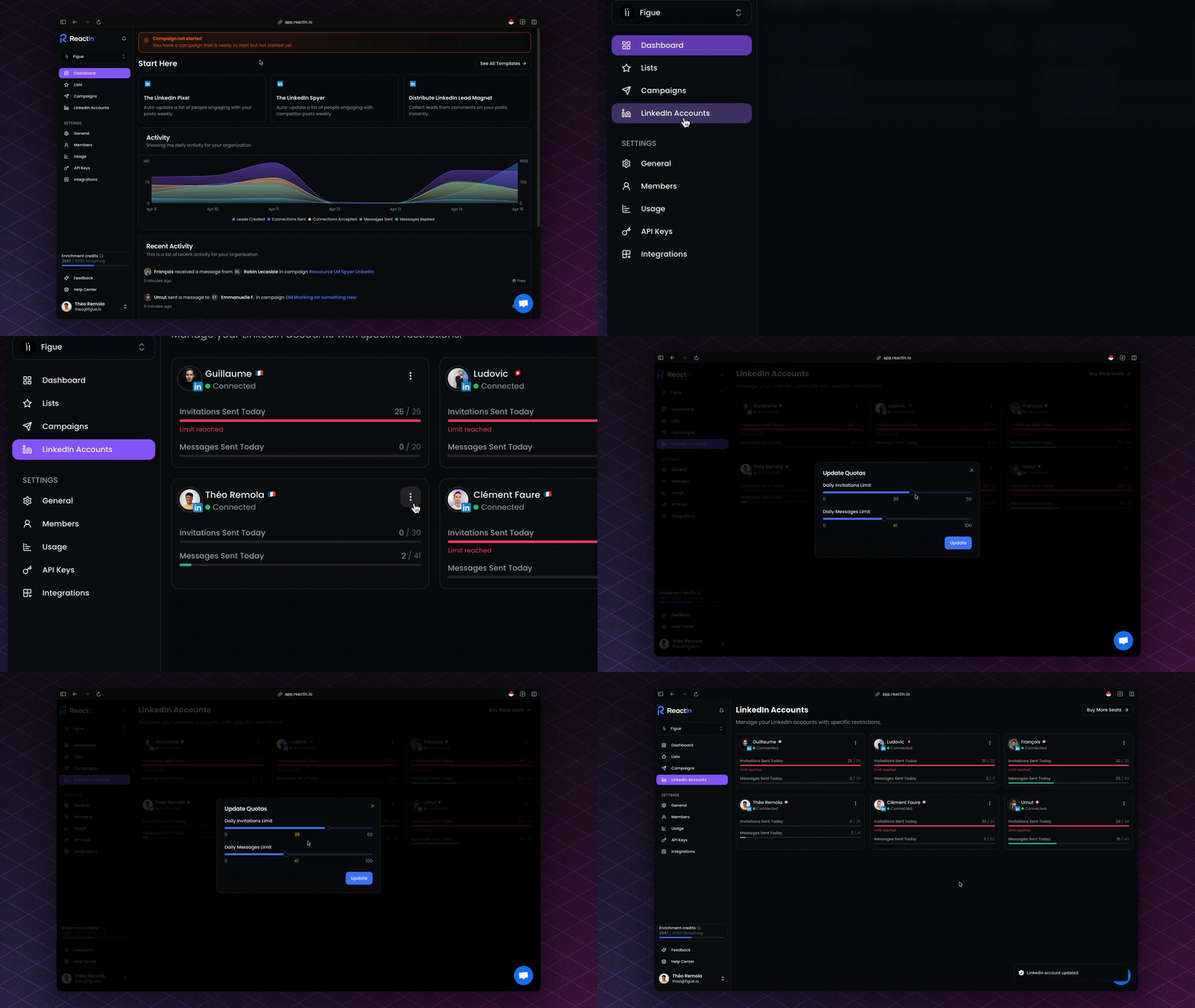
If you want to increase these limits (at your own risk), you can update them manually:
Go to the LinkedIn Accounts section in your dashboard
Click the three dots (
⋮) on the top-right of the account you want to editSelect "Update quotas"
Adjust:
Daily Invitations Limit (max: 50)
Daily Messages Limit (max: 100)
⚠️ Raising your limits increases the risk of LinkedIn restrictions or temporary action blocks.
Use this only if you're confident your account is warm and trusted.
🧠 Important Notes
You are responsible for choosing limits that match your account’s maturity and usage history
New or inactive accounts should stick to the default quotas
Premium / Sales Nav accounts are less risky than Free / New accounts
💡 Pro tip: Adjust your daily quotas gradually—rapid quota increases often trigger LinkedIn’s detection algorithms.
Ready to move on?
👉 Next Step: Smart Throttling & Delay Logic →