6.1 Campaign Statistics: Invite Acceptance & Reply Rate
ReactIn tracks key performance metrics across all your campaigns — so you can understand what’s working, what’s underperforming, and where to optimize.
Written By Theo Remola
Last updated Over 1 year ago
📊 Core campaign metrics
For every campaign, ReactIn shows real-time performance indicators, including:
You’ll find these metrics in:
The Campaigns tab
By clicking on any active or past campaign
In the Analytics section of the campaign detail page

📈 Data updates continuously as actions are performed.
📆 Time-based view
You can visualize performance over time on the graph
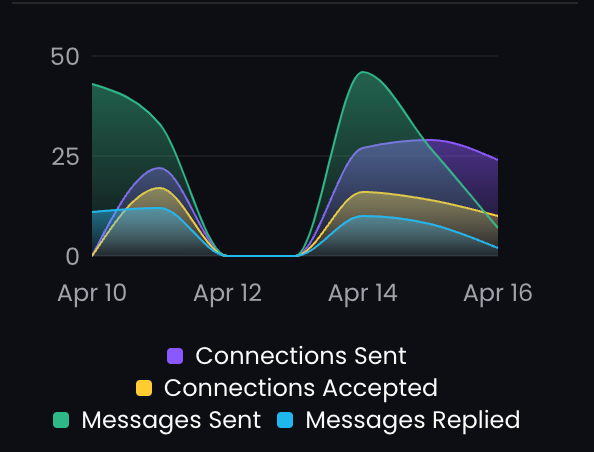
You can also track the global performances of the whole organization on your dashboard:

🔍 Use these stats to improve
Low acceptance rate? → Rework your invite message or target audience
Low reply rate? → Test new message angles, variables, or custom follow-ups
High drop-off after message 1? → Add more value or a clearer CTA
🧠 Combine stats with SmartList filtering to see patterns by persona or industry.
You can also segment your SmartLists to test messages by persona, industry, or company size.
💡 Pro tip: Start with a 50-lead test to optimize messaging before scaling.
Ready to move on?
👉 Next Step: Manage Team Members & Permissions →