7.2 Monitor Credit Usage
ReactIn includes unlimited usage for most features, so you can scale your outreach freely — while keeping track of your enrichment credits.
Written By Theo Remola
Last updated Over 1 year ago
🎯 What’s unlimited?
Your ReactIn subscription gives you full access to:
🧠 You can run as many campaigns, SmartLists, and actions as you need — without worrying about quotas.
💳 Enrichment credit limits
Each organization has 1,000 enrichment credits per month included in the plan.
Enrichment credits are used when ReactIn adds missing info to a contact or AI enrichment.
📅 These credits reset every month on your billing cycle date.
📍 Where to track usage
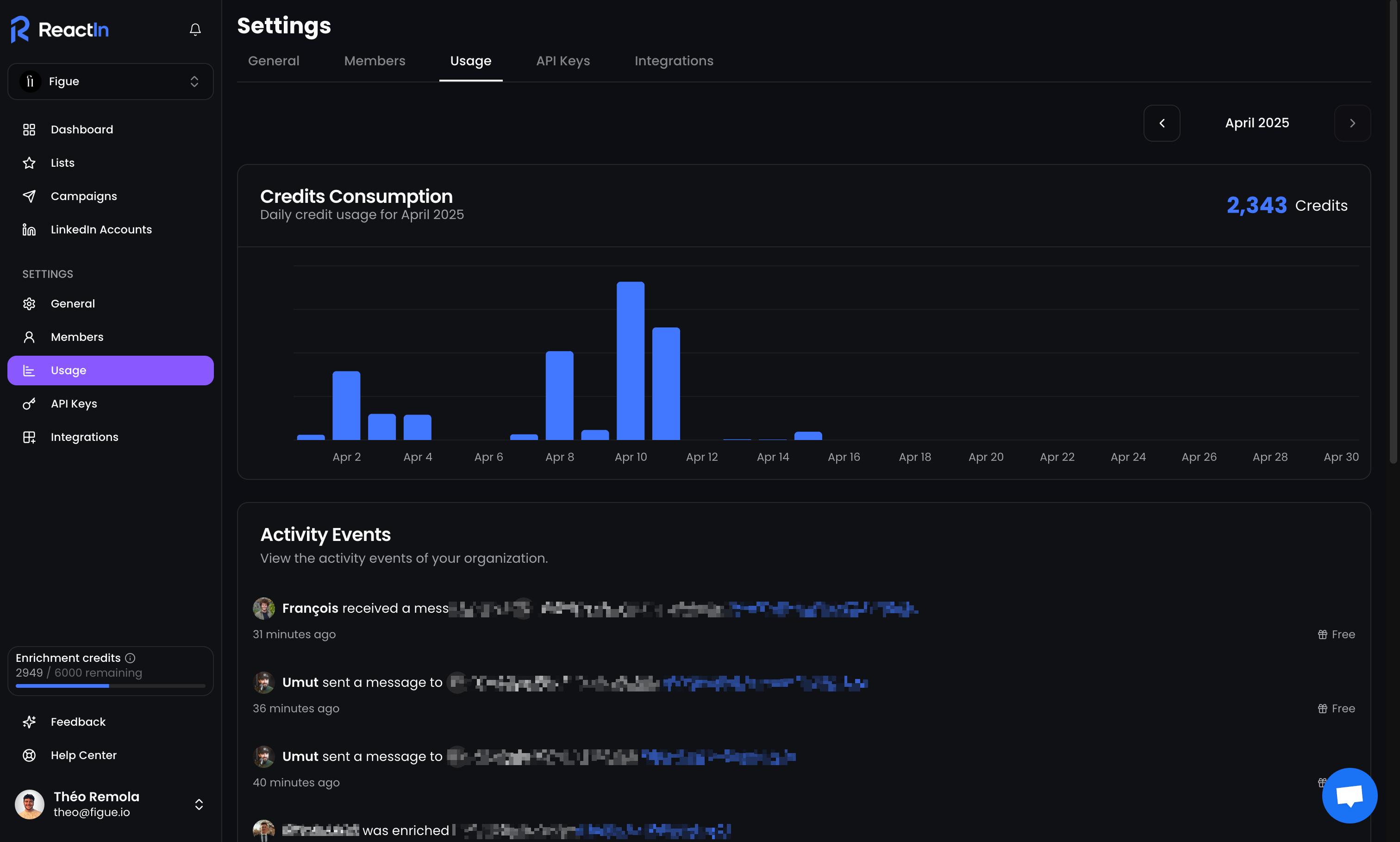
To check how many enrichment credits you’ve used:
Go to Settings > Billing
Scroll to the “Usage” section
You’ll see:
Credits used this month
Activity events
🛑 What happens when I run out?
Campaigns will continue to send messages — but enrichment will stop automatically
You can continue using all other features without interruption
You’ll be notified once you get close to your credit limit
💡 Pro tip: Regularly monitor your enrichment credit usage to avoid campaign pauses—especially if running high-volume outreach.
Ready to move on?
👉 Next Step: Manage Your Plan & Seats →