5.2 View and Manage Active Integrations
Once your tools are connected to ReactIn, you can easily monitor and manage them from a single place.
Written By Theo Remola
Last updated Over 1 year ago
📍 Where to find your integrations
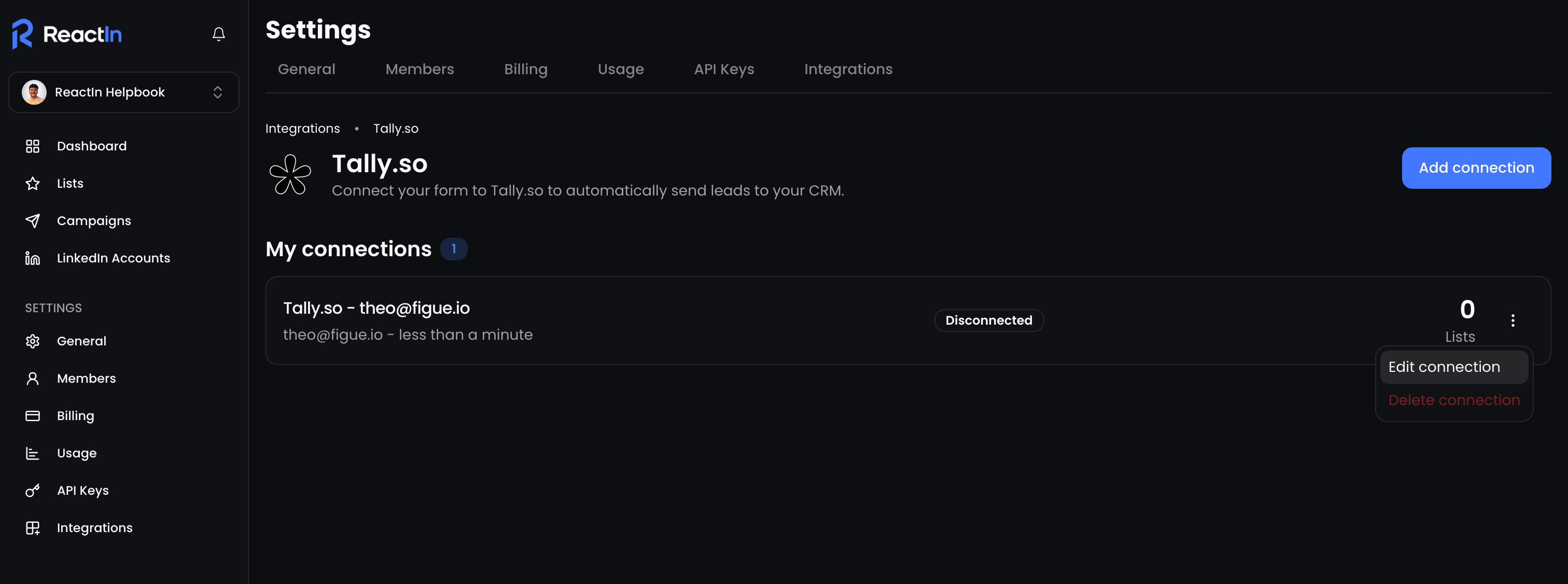
Go to Settings > Integrations
You’ll see a list of all connected services
For each integration, you can view:
The type of tool (e.g. Tally, Cal.com, Stripe…)
Its current status (connected / disconnected)
⚙️ Managing your integrations
For each integration in the list, click the three dots (⋮) on the right to:
🧩 Reconnect or refresh credentials (if expired)
❌ Disconnect it fully from your workspace
Changes apply instantly and won’t affect your historical data.
🧩 Native integrations are maintained directly by ReactIn — no need to update webhook URLs manually.
💡 Pro tip: Regularly check integration statuses to catch potential syncing issues early and prevent lost leads.
Ready to move on?
👉 Next Step: Link Integrations to SmartLists (the Right Way) →